Run 2 Unblocked — Play Free Online
More Runners & Dash games
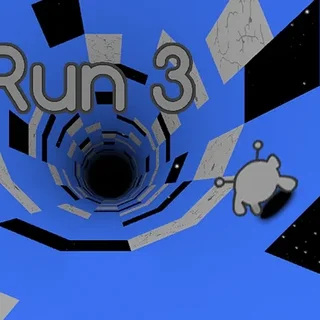



Run 2 unblocked: play Run 2 online free right here in your browser — no download, no sign-up, works on a school Chromebook.
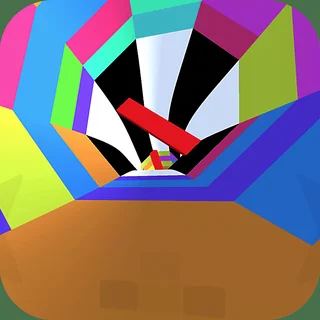
Run 2 is a tunnel runner set in space. You guide a small character along a path of floating tiles, and the whole thing is built around one rule: if you step onto nothing, you fall, and the run is over. There is no clock to beat and no enemy to shoot. The only opponent is the layout of the tunnel, which gets stranger and less forgiving the further you get.
A session feels quick and slightly frantic. Early levels are wide, flat corridors where you learn how far a jump carries you. Later ones narrow to single-tile bridges, drop tiles out of the floor, tilt the path, and send you around walls and across the ceiling. Most attempts last under a minute, and the pull is the same one that keeps people on Pixel Speedrun: you died at a spot you now know how to pass, so you go again.
If you came here for the precision runners, Level Devil or Big Tower Tiny Square, this is a different flavour of the same itch. Those games ask you to memorise a handcrafted room. Run 2 asks you to read a moving path a few tiles ahead and keep your nerve at speed.
How to play
You run forward automatically, so your job is steering and timing. Use the arrow keys or A and D to move left and right, and Up or W to jump. The jump can be held a little longer to carry further across a gap, and you can nudge sideways while in the air to correct your landing. Touch devices get on-screen controls instead of a keyboard.
The tunnel is not always a floor. In some sections the path wraps around, so a wall or the ceiling becomes the surface you are running on. When that happens, treat your controls as relative to the tile under you rather than to the screen, and slow down your inputs until it feels natural.
Tips
- Look ahead of your character, not at it. Your eyes should be on the next two or three tiles so you decide on a jump before the gap arrives.
- Use small taps for steering. Holding a direction for too long is the most common way to slide off the edge of a narrow bridge.
- Jump from the very end of a tile when you need distance, and from earlier when you only need to clear a missing tile.
- If a section keeps beating you, stop trying to be fast. Each level is a fixed layout, so memorising the order of gaps beats reacting to them.
Similar games on Pixel Speedrun
Two Button Bounce keeps the same pick-up-and-retry rhythm with even simpler controls, while Sides of Gravity plays with which way is down in a way that suits anyone who enjoyed the wall sections here. Dreadhead Parkour and Stickman Climb 2 swap the tunnel for platforming, where you choose your own pace instead of being carried forward.
Run 2 runs in the browser with nothing to install, which makes it an easy fit for a short break on a laptop, Chromebook or phone. It suits players who like short attempts and steady improvement more than long sessions.
Questions about Run 2
Is Run 2 unblocked at school?
Run 2 runs in an ordinary browser tab from pixelspeedrun.com, with nothing to download or install, so it plays on most school Chromebooks and work computers. If a network filter blocks the site, only that network's administrator can change it.
What are the controls in Run 2?
Use the arrow keys or A and D to steer left and right, and Up or W to jump. Your character runs forward on its own. Touch devices use on-screen controls.
How does a run end in Run 2?
Falling off the path into space ends the run and you restart the level. Run 2 has no timer to beat, so the challenge is crossing the gaps.
Can I play Run 2 on a phone or Chromebook?
Yes. It runs in the browser with nothing to install, though a keyboard usually gives finer control for narrow sections.