Solitaire Unblocked — Play Free Online
More Puzzles & Cards games
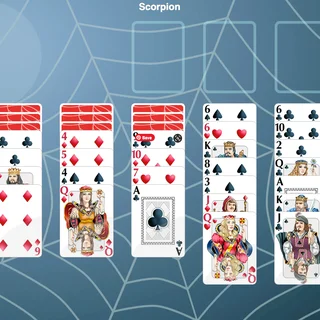




Solitaire unblocked: play Solitaire online free right here in your browser — no download, no sign-up, works on a school Chromebook.
What is Solitaire?
Solitaire is a single-player card game developed by Coolgames B.V. and released in October 2019. Built on classic Klondike rules, the objective is to sort a standard deck into four foundation piles ordered from Ace up to King by suit. It runs directly in your web browser with no download or setup required, offering quick rounds with a live timer and move scoring.
Key features
- Klondike card layout: Features seven tableau columns with alternating red and black sequence building.
- Four foundation piles: Build each suit upward starting with the Ace and finishing on the King.
- Stockpile cycling: Draw fresh cards from the reserve deck when no immediate tableau plays exist.
- Timer and score counter: Tracks total elapsed time and awards points for each successful card transfer.
- Drag-and-drop support: Smooth card handling designed for both desktop mouse cursors and mobile touchscreens.
- Clean interface: Clear card faces and simple board controls suited for quick casual sessions.
How to play
- Examine the initial tableau columns to locate exposed low cards and immediate suit transfers.
- Stack cards in descending numerical sequence while alternating between red and black suits.
- Move uncovered Aces straight to the top foundation slots to start building each suit.
- Flip newly exposed face-down cards in the tableau columns to open up additional movement choices.
- Place Kings into any cleared tableau columns to begin fresh sorting stacks.
- Cycle through the stockpile deck to discover cards that advance your foundation piles or connect tableau sequences.
- Complete the puzzle by moving every card into its corresponding foundation stack from Ace to King.
Controls
| Action | Keyboard / mouse | Touch |
|---|---|---|
| Move card or stack | Click and drag to destination, or click to pick and place | Tap and drag across the screen |
| Draw from stockpile | Click the face-down draw pile | Tap the face-down draw pile |
| Send card to foundation | Drag card to matching foundation suit pile | Drag card to matching foundation suit pile |
Tableau and foundation rules
The playing area is split into three main zones: the tableau, the stockpile, and the foundation piles. Understanding how cards flow between these zones is essential for completing games reliably:
| Zone | Role | Placement rule |
|---|---|---|
| Tableau | Seven working columns where cards are sorted | Descending rank with alternating color (for example, black Jack on red Queen) |
| Foundations | Four victory piles located at the top | Ascending rank matching the same suit (Ace, Two, Three through King) |
| Stockpile | Reserve deck used when board moves stall | Reveals reserve cards to place onto the tableau or foundations |
Tips and strategy
- Prioritize hidden cards: Always reveal face-down tableau cards before pulling from the stockpile, as hidden cards unlock new columns.
- Reserve empty spaces for Kings: Only a King can occupy an empty tableau column, so clear columns only when you have a King ready to move.
- Maintain color balance: Avoid stacking multiple columns with identical color patterns so you retain flexible landing spots for future draws.
- Keep cards accessible: Do not rush cards into foundations if you might need them to hold lower cards in your tableau columns.
- Scan before drawing: Review all seven tableau columns thoroughly before tapping the reserve pile to avoid missing valuable transfers.
Similar games on Pixel Speedrun
If you enjoy methodical puzzles and timing challenges on Pixel Speedrun, explore these companion titles:
- Level Devil: A tricky platformer where unexpected traps and shifting obstacles test your spatial awareness.
- Two Button Bounce: A compact timing puzzle that demands precise reactions using minimal inputs.
- Red Ball 4: A physics-based platform adventure full of obstacles, rolling momentum, and environmental puzzles.
Developer and release
Solitaire was created by game studio Coolgames B.V. and released in October 2019. The digital edition brings traditional tabletop Klondike solitaire into modern web browsers with responsive controls and lightweight performance.
Questions about Solitaire
Is Solitaire unblocked at school?
Solitaire runs in an ordinary browser tab from pixelspeedrun.com, with nothing to download or install, so it plays on most school Chromebooks and work computers. If a network filter blocks the site, only that network's administrator can change it.
What is the goal of Solitaire?
The goal is to build four foundation piles from Ace to King by suit while sorting tableau columns in descending alternating colors.
How do you move cards in this Solitaire game?
Click or tap cards to drag them across columns, or select a card to pick it up and place it onto a valid destination.
Can you play Solitaire on mobile devices?
Yes, Solitaire is built with HTML5 touch controls and runs smoothly in mobile and desktop web browsers without any download.
Who developed this Solitaire browser game?
This online Solitaire game was developed by Coolgames B.V. and released in October 2019.